
VLM Order Picking Tools and Accessories
Improve order picking speed, accuracy, and operator efficiency with VLM tools that guide users to the right item, confirm picks, support barcode scanning, and help keep inventory workflows moving.
White Systems offers VLM order picking tools and accessories that help operators work more confidently at the access point, whether they are picking parts, replenishing inventory, verifying orders, or managing high-SKU storage.
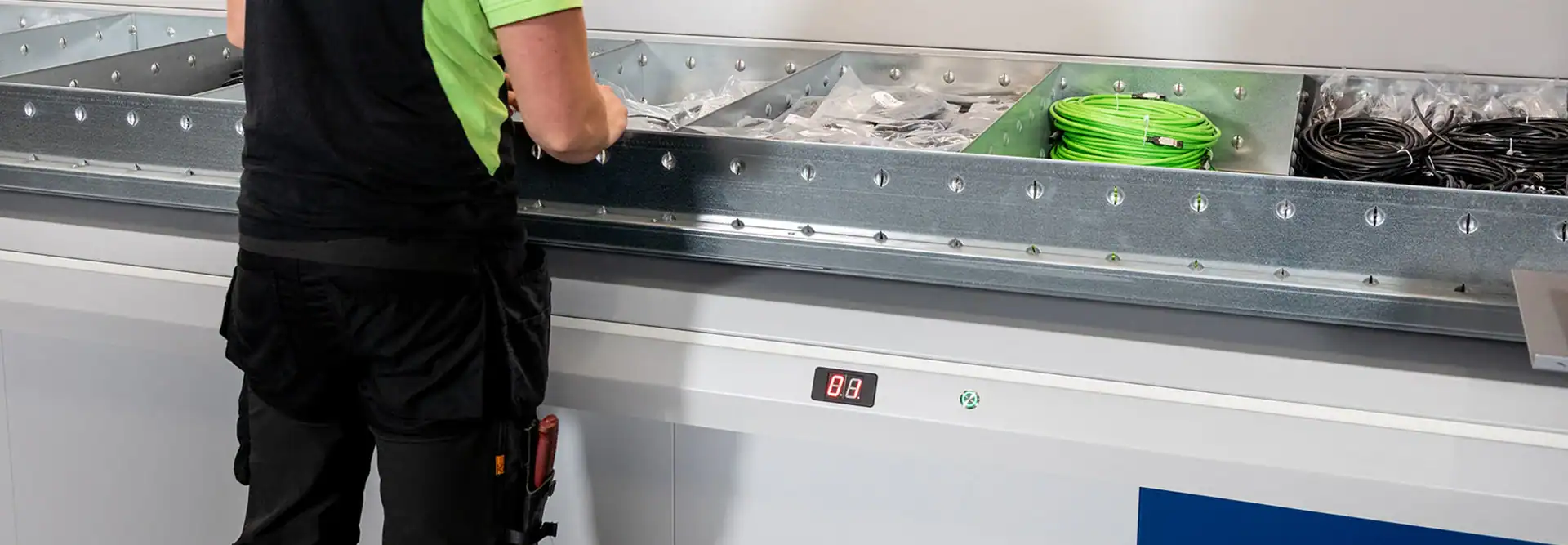
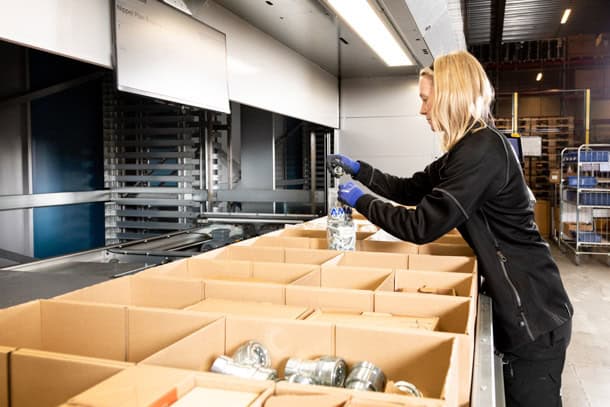
Support Faster, More Accurate Warehouse Order Picking
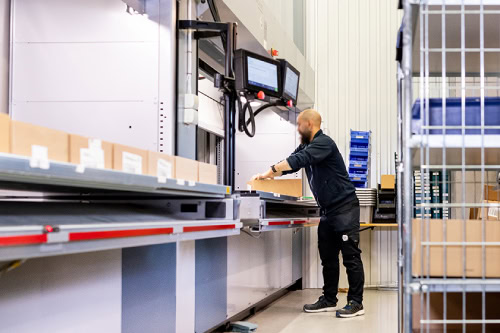
A vertical lift module brings stored inventory directly to the operator, but the picking process still depends on clear instructions, fast item identification, and accurate confirmation. VLM order picking tools help operators identify the correct tray location, pick the right quantity, and complete each transaction with fewer manual steps.
Depending on the application, a VLM workstation may include a pick display, LED bar, laser pointer, barcode scanner, label printer, confirmation buttons, foot pedal, or a combination of tools. These options can help reduce searching, improve picking accuracy, support better inventory control, and create a more consistent workflow at the machine.
Order Picking Tools for Vertical Lift Modules
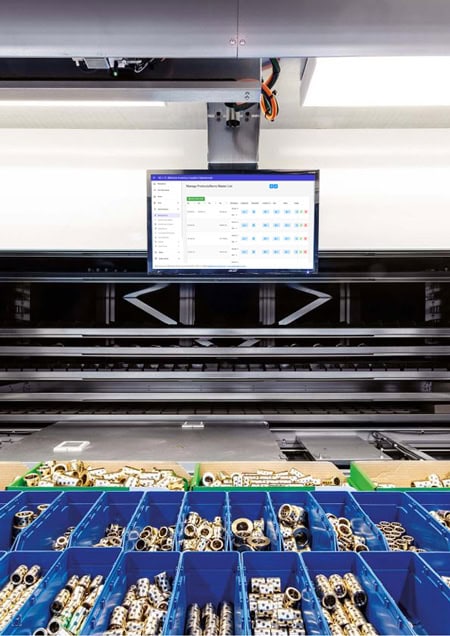
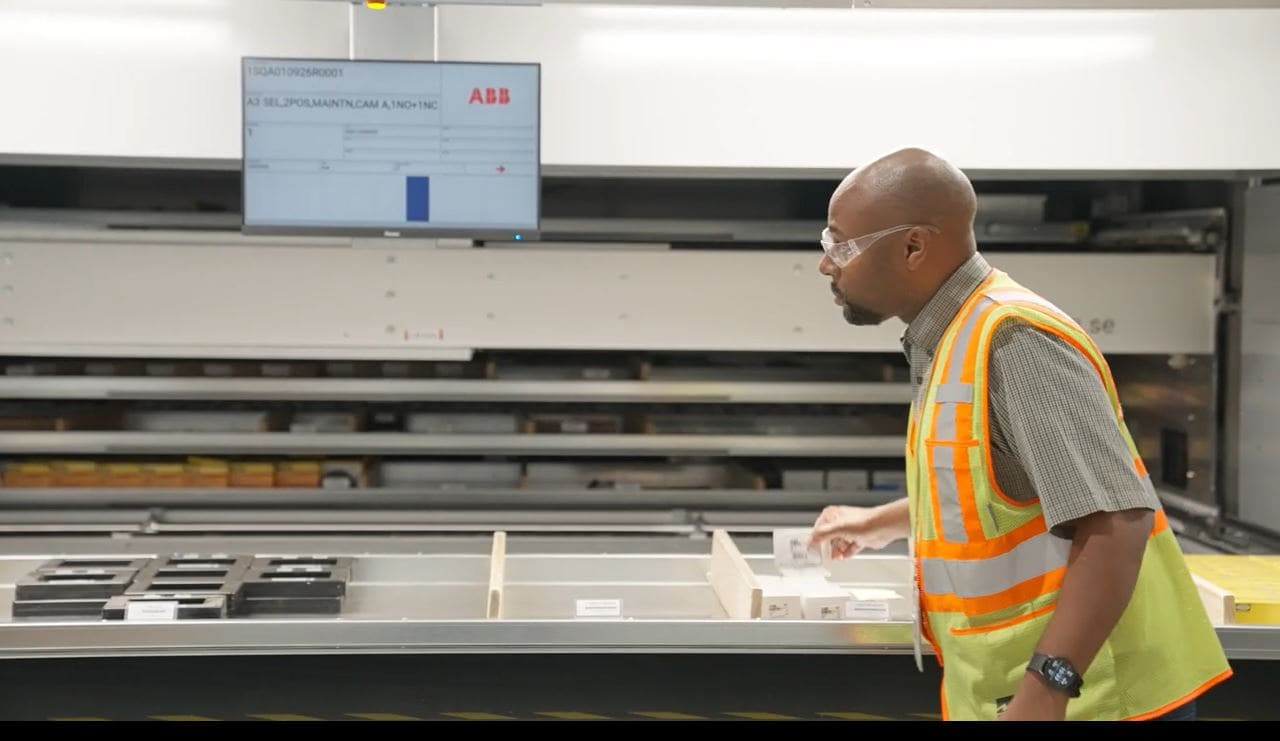
Pick Display
A pick display gives operators clear visual instructions during picking, replenishment, and inventory tasks. The display can show order information, item details, quantities, and an overview of the tray layout so the operator knows where to pick, place, or verify an item.
For many VLM workflows, the pick display is the main operator guidance tool. It is especially useful when trays are divided into multiple compartments or when operators need clear, repeatable instructions at the access opening.
Common uses:
- Order picking
- Putaway
- Stocktaking
- Inventory verification
- Operator guidance
- Tray location identification
Best fit:
A pick display is a strong option for VLM systems where operators need clear instructions, order details, and visual tray guidance in one place.
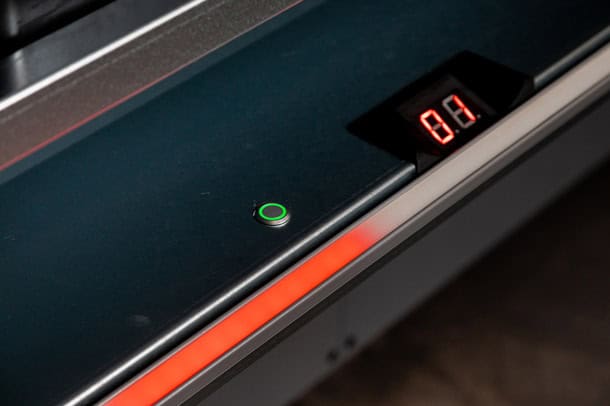
LED Bar
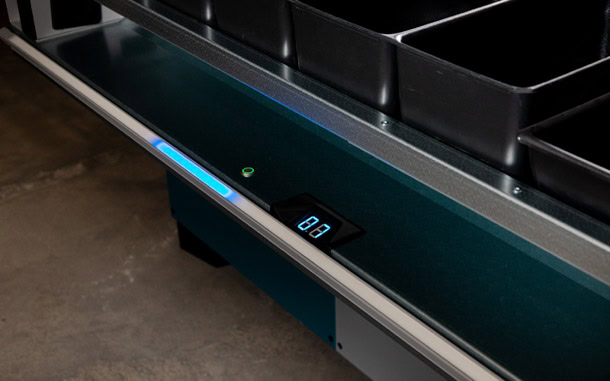
An LED bar uses lights along the access opening to help guide the operator to the correct column on the tray. Instead of searching the full tray, the operator can use this lateral visual indicator to quickly identify the correct area.
LED guidance can be especially helpful when operators are picking from trays with multiple rows, dividers, bins, or compartments. It can also support faster warehouse order picking when paired with software-driven instructions.
Common uses:
- Visual pick guidance
- Small parts picking
- Multi-compartment trays
- High-SKU inventory
- Faster item identification
- Reduced search time
Best fit:
An LED bar is a good fit when operators need quick visual guidance and trays contain multiple locations that may look similar at a glance.
Laser Pointer
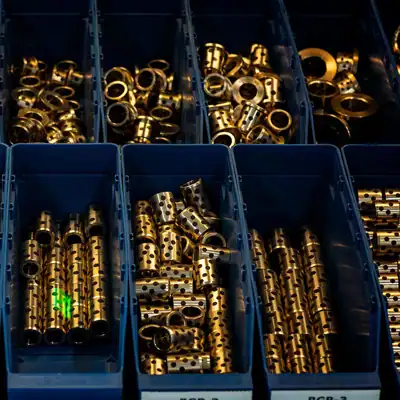
A laser pointer provides more precise pick guidance by pointing directly to the compartment where the next pick should be made. This can be especially helpful for high-density trays with many small parts, components, tools, or SKUs.
For operations where accuracy matters and items are stored close together, laser guidance can help operators identify the correct compartment faster and with more confidence.
Common uses:
- Small parts picking
- Dense tray layouts
- High-SKU storage
- Tool and component storage
- MRO inventory
- Visually similar items
Best fit:
A laser pointer is a strong option when trays contain many small compartments and operators need more precise visual guidance than a general row indicator.
Barcode Scanners
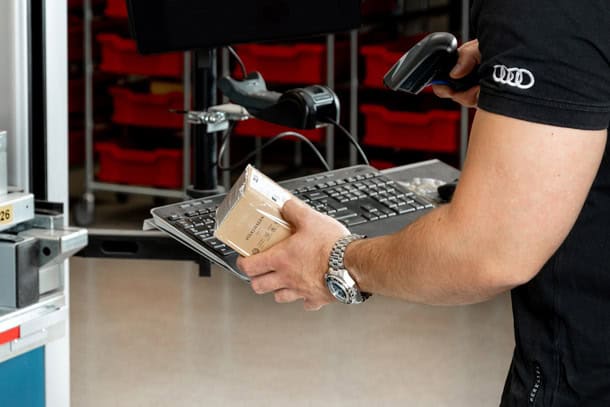
Barcode scanners help operators confirm items, storage locations, orders, and inventory transactions. Scanning can be used during picking, putaway, replenishment, stock checks, and order verification.
For warehouse order picking operations, barcode scanning can help reduce manual entry, improve traceability, and support better inventory accuracy. Scanners are often used when the VLM is connected to inventory software, a WMS, or an ERP system.
Common uses:
- Item confirmation
- Location confirmation
- Order verification
- Putaway
- Replenishment
- Inventory control
- Traceability
Best fit:
Barcode scanners are a good fit when accuracy, transaction history, inventory control, or system confirmation is important to the workflow.
Label Printers
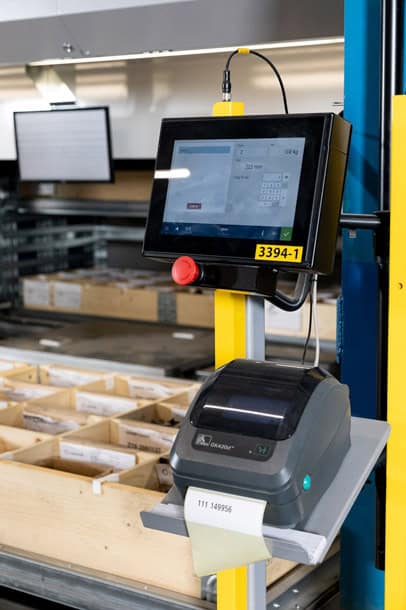
Label printers can be used to print labels for parts, storage locations, orders, bins, or inventory movements. This helps keep inventory organized and supports more consistent picking, replenishment, and receiving processes.
Labeling is especially useful when parts need to be identified, moved, staged, shipped, or tracked as part of a larger warehouse or production workflow.
Common uses:
- Part labels
- Order labels
- Bin labels
- Location labels
- Receiving labels
- Inventory organization
Best fit:
A label printer is a good fit when your operation needs clearer identification for parts, orders, locations, or inventory movements.
Confirmation Buttons
Confirmation buttons allow operators to acknowledge completed picks or actions directly at the access opening. This gives the system confirmation that a task has been completed and allows the next step in the workflow to continue.
For repetitive picking tasks, confirmation buttons can help keep the process simple and efficient without requiring the operator to interact with the main display after every action.
Common uses:
- Pick confirmation
- Putaway confirmation
- Task completion
- Operator acknowledgment
- Simple workflow control
Best fit:
Confirmation buttons are a good fit when operators need a fast, simple way to confirm completed actions at the VLM.
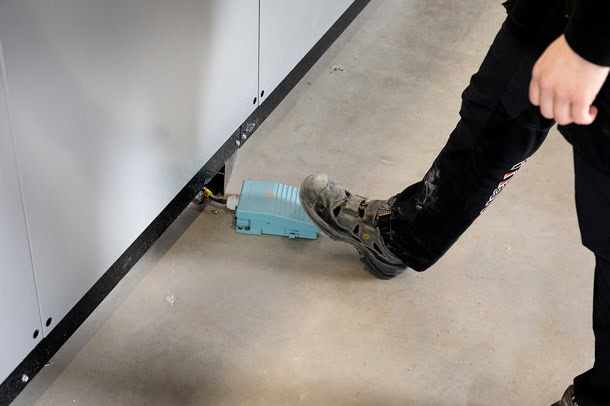
Foot Pedal
A foot pedal allows operators to confirm picks hands-free. This can be useful when handling larger, heavier, or awkward items that require both hands.
Instead of setting the item down or reaching for a button, the operator can complete the confirmation step with the foot pedal and keep the workflow moving.
Common uses:
- Hands-free pick confirmation
- Large item handling
- Heavy item handling
- Two-handed picking
- Ergonomic workflows
Best fit:
A foot pedal is a good fit when operators regularly handle items that require both hands or when hands-free confirmation would make the process easier.
Choosing the Right VLM Order Picking Tools
The best order picking setup depends on the size of your inventory, the number of compartments per tray, the level of accuracy required, and the way operators interact with the VLM.
For simple tray layouts, a pick display may provide enough guidance. For trays with multiple columns but fewer rows in a column, an LED bar is an excellent solution for locating the pick. For trays with many parts or compartments, a laser pointer can help operators find the correct location faster. For operations that need better inventory control, barcode scanners and label printers can support more reliable tracking and verification. For repetitive or two-handed picking, confirmation buttons or a foot pedal can make the workflow easier to manage.
White Systems can help determine which tools make sense for your VLM application based on your inventory, order volume, software requirements, and operator workflow.
Designed to Support Warehouse Picking Workflows
VLM order picking tools can support a wide range of warehouse, manufacturing, and inventory environments, including:
- MRO parts storage
- Manufacturing components
- Tools and maintenance supplies
- Spare parts inventory
- Kitting and assembly areas
- Distribution and fulfillment operations
- Healthcare and pharmacy inventory
- Electronics and small parts storage
- Aerospace and defense inventory
- Service parts and aftermarket operations
Whether your team is picking orders, replenishing stock, verifying inventory, or preparing parts for production, the right picking tools can help make the process more accurate and easier to repeat.
Improve Picking Without Adding More Walking
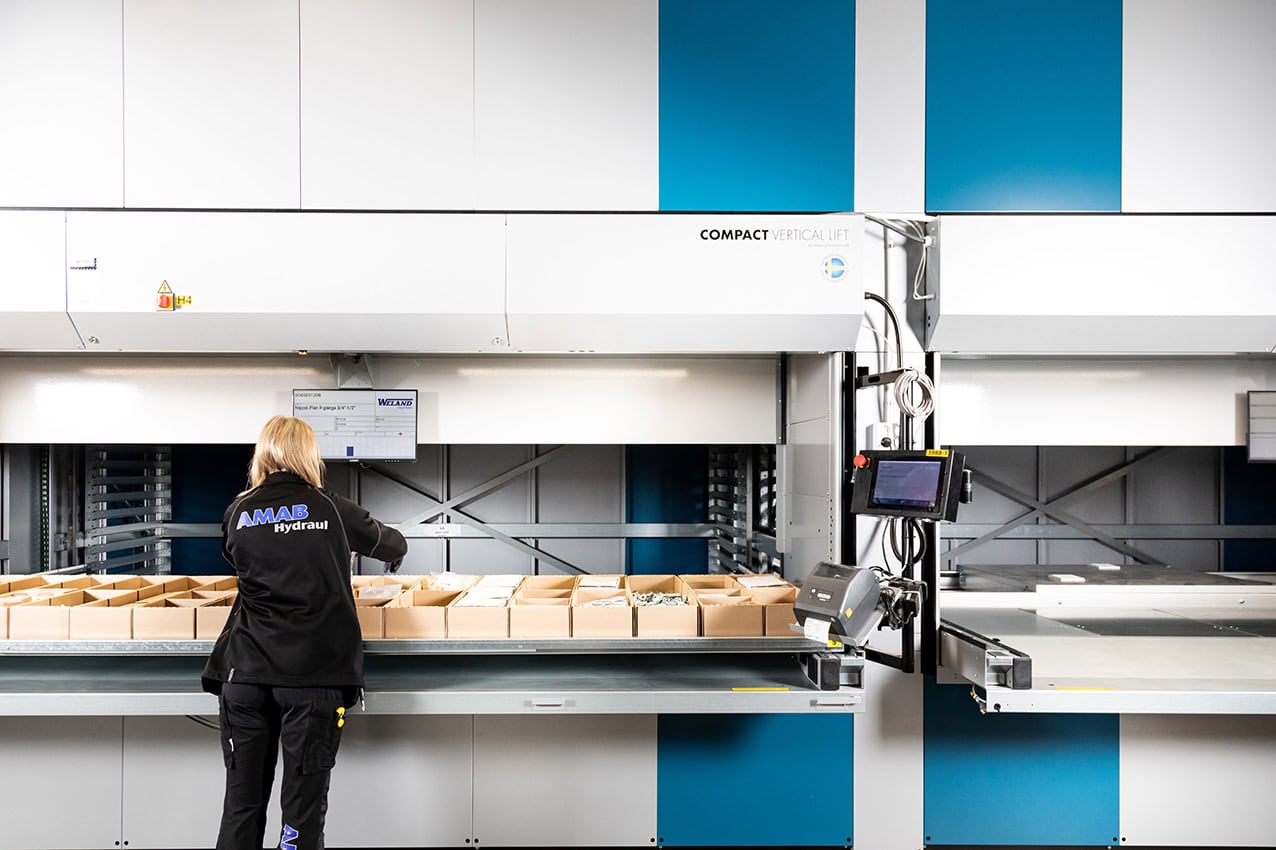
Traditional shelving often forces operators to walk, search, read labels, and manually verify items across multiple storage locations. A VLM supports a goods-to-person workflow by bringing inventory directly to the operator. Picking tools improve that process even further by helping the operator identify the right item once the tray arrives.
With the right combination of VLM order picking tools, your operation can:
- Reduce time spent searching for items
- Help operators identify the correct tray location
- Support more accurate order picking
- Improve inventory verification
- Reduce manual data entry
- Create more consistent picking workflows
- Support barcode scanning and labeling
- Make heavy or repetitive picks easier to confirm
- Improve operator confidence at the access point
Connect Picking Tools with VLM Software
VLM picking tools are most effective when they are connected to the software and workflow behind the machine. Depending on the system configuration, software can help manage order information, inventory transactions, pick instructions, location data, user permissions, and communication with other warehouse systems.
White Systems can support VLM workflows that connect picking tools with software, barcode scanning, and inventory processes. This helps create a more controlled picking environment and gives operators clearer instructions at each step.
Explore MILO™ inventory management software
Need to connect automated storage with an ERP, WMS, MRP, or host system? Learn more about ASRS integration.
VLM Picking Tools vs. Manual Picking
Manual picking often depends on the operator’s ability to find the right shelf, read the right label, choose the right item, and record the transaction correctly. That can work in small or low-volume environments, but it becomes harder to manage as SKU counts, order volume, and accuracy requirements increase.
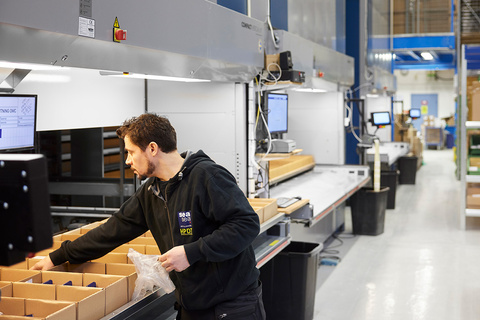
VLM picking tools help bring more structure to the process. Instead of relying only on memory, paper lists, or manual searches, operators can use visual guidance, scanning, labeling, and confirmation tools to complete each pick more consistently.
This does not just help with speed. It also helps create a process that is easier to train, easier to repeat, and easier to manage as the operation grows.
Explore MILO™ inventory management software
Need to connect automated storage with an ERP, WMS, MRP, or host system? Learn more about ASRS integration.
Common VLM Picking Tool Combinations
Basic Picking Workflow
A pick display can provide the core instructions an operator needs at the machine. This may be enough for applications with larger compartments, lower pick complexity, or simpler inventory workflows.
Suggested tools:
- Pick display
- Confirmation buttons
Visual Guidance Workflow
For trays with multiple rows, bins, or compartments, visual guidance can help operators find the correct location faster.
Suggested tools:
- Pick display
- LED bar
- Laser pointer
Inventory Control Workflow
For operations that need stronger verification and inventory tracking, barcode scanning and labeling can help support more reliable transactions.
Suggested tools:
- Pick display
- Barcode scanner
- Label printer
- Confirmation buttons
Hands-Free Workflow
For larger, heavier, or awkward items, hands-free confirmation can make the picking process easier and more ergonomic.
Suggested tools:
- Pick display
- Foot pedal
- Confirmation buttons
- Barcode scanner, if verification is needed
Add Picking Tools to a New or Existing VLM Project
Order picking tools can be considered during a new VLM project or added as part of a workflow improvement conversation. The right setup depends on the machine configuration, software environment, inventory profile, and operator process.
White Systems can help review your storage and picking requirements and recommend the tools that fit your operation. That may include visual guidance, barcode scanning, labeling, pick confirmation, software integration, or a combination of options.

Talk to White Systems About Your VLM Picking Workflow
The right picking tools can help operators move faster, reduce searching, and improve accuracy at the VLM access point. Whether you are planning a new vertical lift module or improving an existing order picking process, White Systems can help you choose the tools and accessories that fit your workflow.
Frequently Asked Questions About VLM Order Picking Tools
What are VLM order picking tools?
VLM order picking tools are accessories and workstation tools that help operators identify, pick, confirm, scan, label, or verify items stored in a vertical lift module. Common options include pick displays, LED bars, laser pointers, barcode scanners, label printers, confirmation buttons, and foot pedals.
Do I need picking tools for a vertical lift module?
Not every VLM workflow requires the same tools. A simple application may only need a display and basic confirmation, while a high-SKU or high-accuracy operation may benefit from visual guidance, barcode scanning, labeling, and software integration.
What is the difference between an LED bar and a laser pointer?
Think of the tray like a neighborhood. The LED bar narrows the search to the right street by guiding the operator to a specific column or area of the tray. The laser pointer provides more precise direction by identifying the exact “house” on that street, pointing to the specific compartment where the item is stored.
The best option depends on the tray layout, compartment size, item density, and level of pick guidance needed.
Can barcode scanners be used with a VLM?
Yes. Barcode scanners can be used to confirm items, locations, orders, and inventory transactions. They are often used when the VLM is connected to inventory software, a WMS, or an ERP system.
Can VLM picking tools help improve accuracy?
Yes. Picking tools can help operators identify the correct location, verify items, confirm transactions, and reduce reliance on manual searches. This can support better picking accuracy and more consistent inventory workflows.
Can these tools be added to an existing VLM?
Yes, picking tools may be added or updated on an existing VLM, depending on the machine, controls, software, and current configuration. White Systems can review your system and help determine what options are available.